Reviewing markdown with my AI agent, right in the file#
I write long plans, designs and brainstorms in markdown together with my AI agent. Giving feedback used to mean copying parts of the text into the chat. The agent answered by repeating my words or by numbering my points in its own way.
Now I comment directly in the file with CriticMarkup, and the agent replies in the same thread:
The timer {==starts with the steeping time==}{author="Ana" date="2026-11-02">>Can the user change it?<<}{author="Claude" date="2026-11-02">>Yes, with plus and minus buttons.<<}
I use this for my second brain, for docs in code repositories, and for repositories that keep their backlog as markdown files.
Why a VS Code extension#
The Track Changes plugin for Obsidian by Phil Baum does this well. The format extensions I use (authors, dates and threads) come from that plugin. But most of my documents are in repositories that are not Obsidian vaults. I also wanted a review view like a GitHub pull request. So I built CriticMark Review, which uses the same format as the plugin.
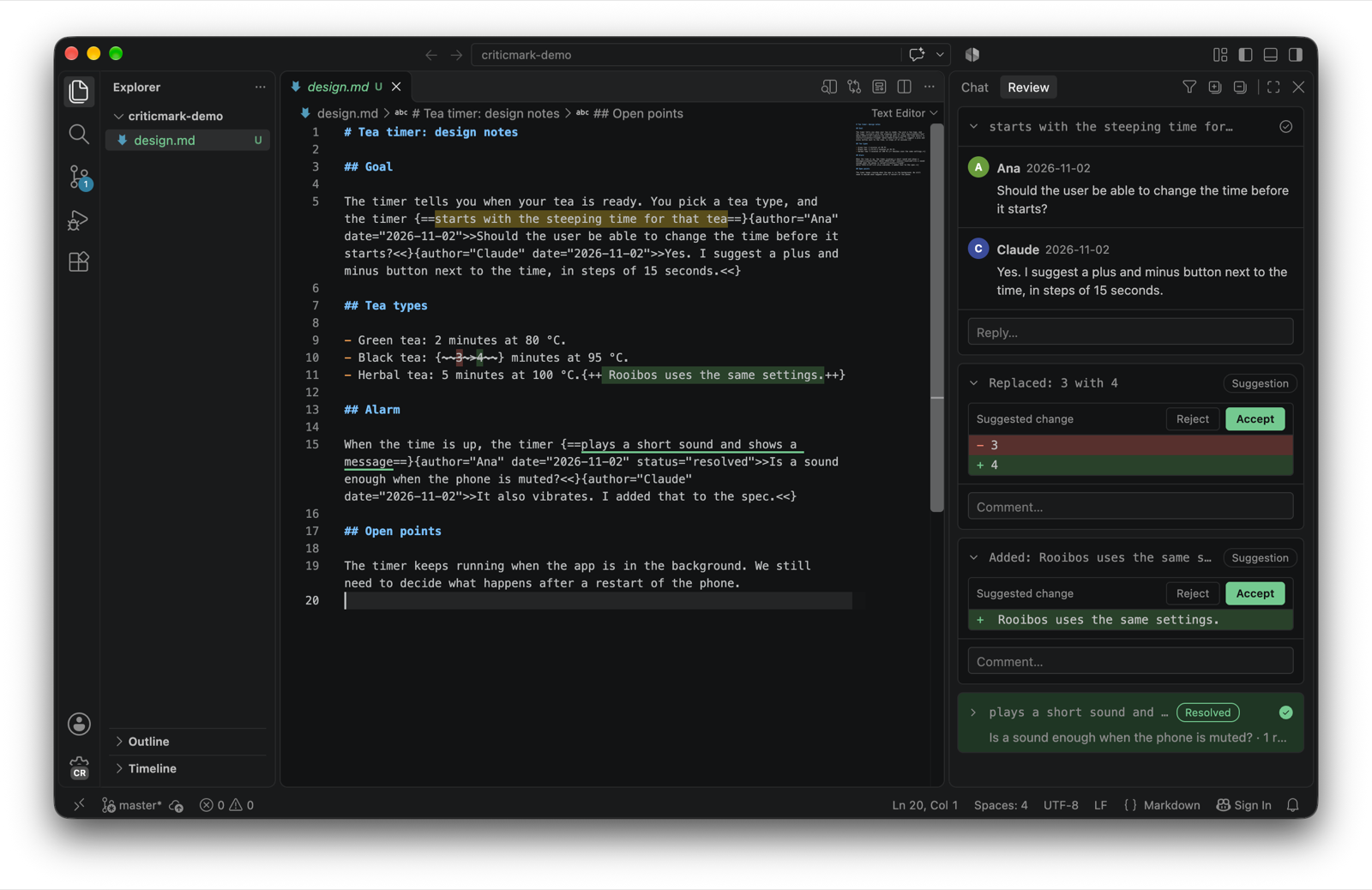
The loop#
I select text, right-click, Add Comment, and type.
The agent replies in the file. The panel updates on its own.
I mark agreed threads as resolved.
When nothing is left to discuss, the agent applies the result and removes the threads.
Setup#
Install the .vsix from the latest release.
Then tell your agent about the comments, for example in the AGENTS.md of your repository:
## Review comments

I review your work with CriticMarkup comments in the file.
The format is described in https://github.com/cuinixam/criticmark-review/blob/main/docs/format.md.

- When I say I left comments, read the whole file and reply in every open thread.
- Append your reply right after the last comment of the thread, with your name and today's date.
- Do not reply to resolved threads and do not change anything else.
- When I approve, apply what we agreed and remove all the review markup.